
Posted January 29, 2026
You may have noticed that the “Edit with HTML” button is no longer available in the WordPress Classic Editor. This functionality was removed in a WordPress update released in early January.
There has already been significant user feedback about this change, and WordPress has indicated they may reintroduce the feature in a future release, though no timeline has been confirmed.
In the meantime, there is a workaround to access HTML editing:
- In the editor toolbar, click the three vertical dots in the upper-right corner.
- Select “Code Editor” from the menu.
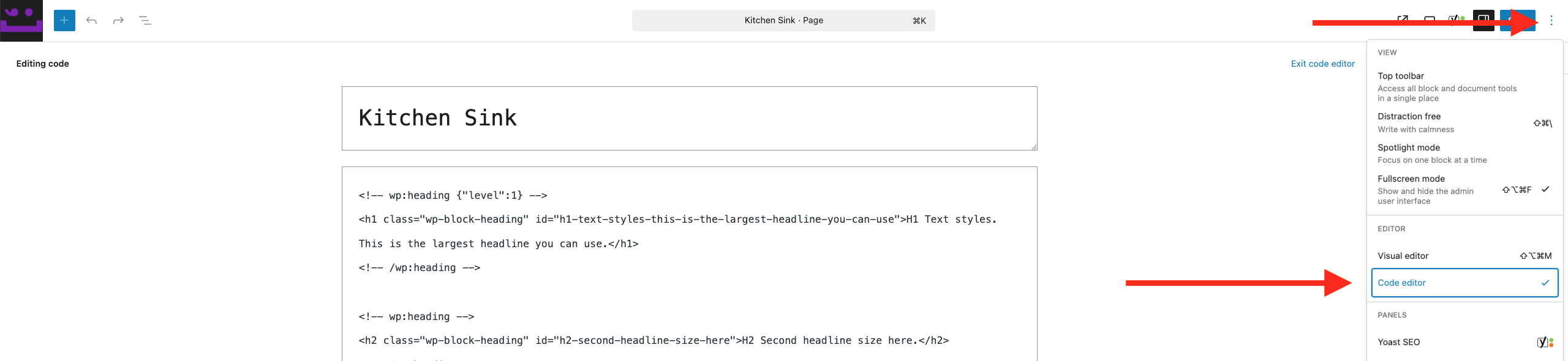
This will allow you to edit the page as HTML, similar to the previous functionality.
We’ll continue to monitor updates from WordPress and will let you know if the original “Edit with HTML” option is restored.